Features
Fines and Tolls

Fine nomination starts with one question: who had the car?

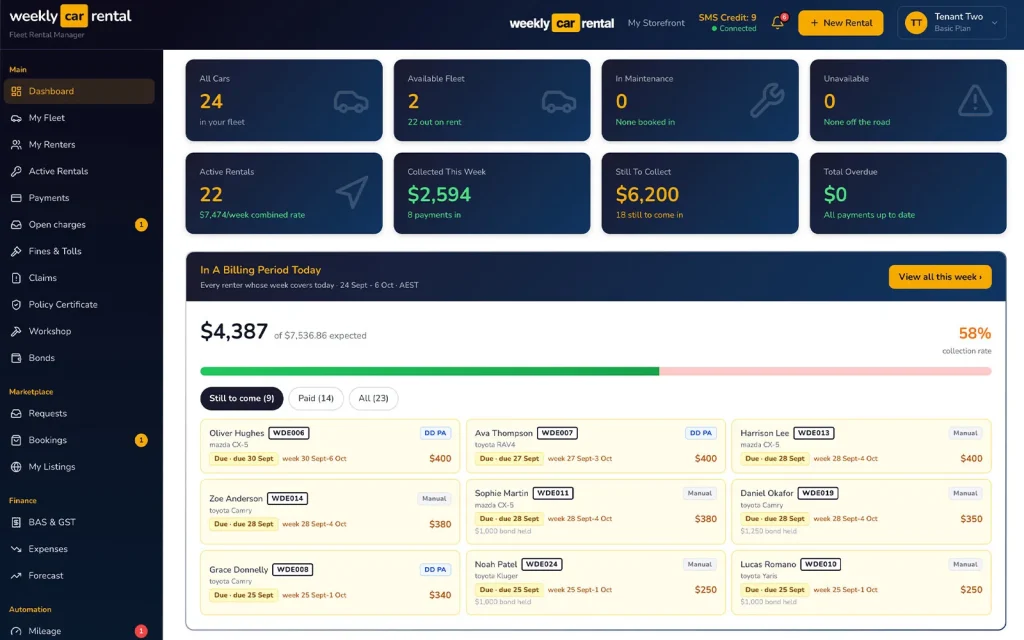
Weekly Car Rental car rental software dashboard showing cars, rentals and weekly payments
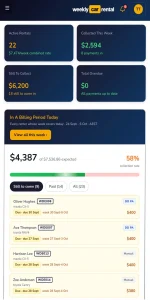
Weekly Car Rental dashboard on a phone showing weekly payments still to collect
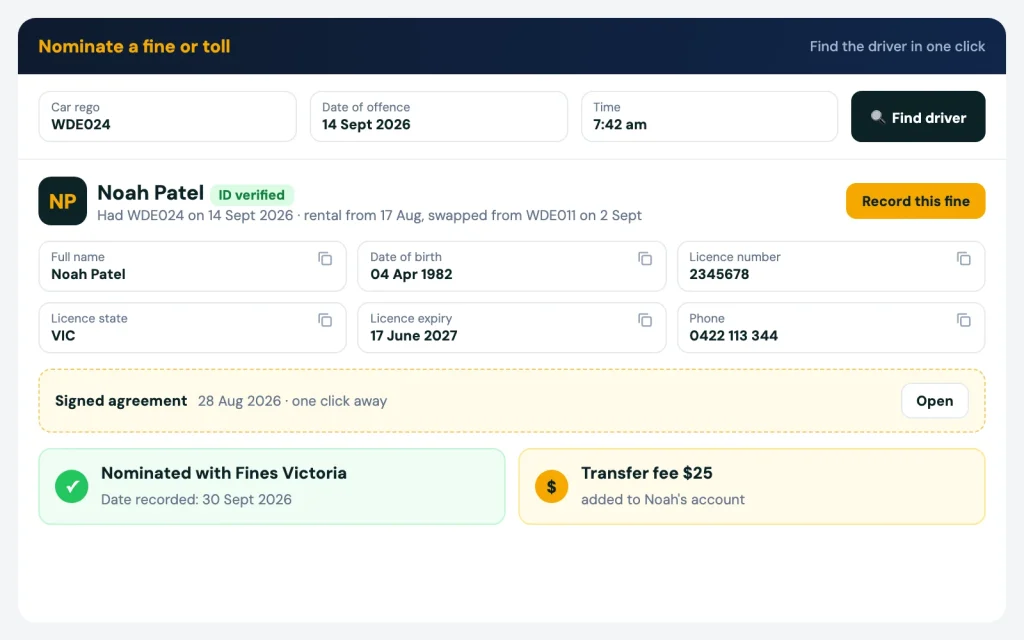
Fine nomination: enter the rego and date to see who was driving

Fine nomination for rental car operators

Fine nomination starts with one question: who had the car? Fines and tolls come to the car, not the driver. With Weekly Car Rental you enter the rego and the date, and you see who was driving in one click, even if the car was swapped halfway through a rental. Then nominate them and add your transfer fee to their account.
Book a demo

Pain

The fine turns up weeks later, addressed to your car

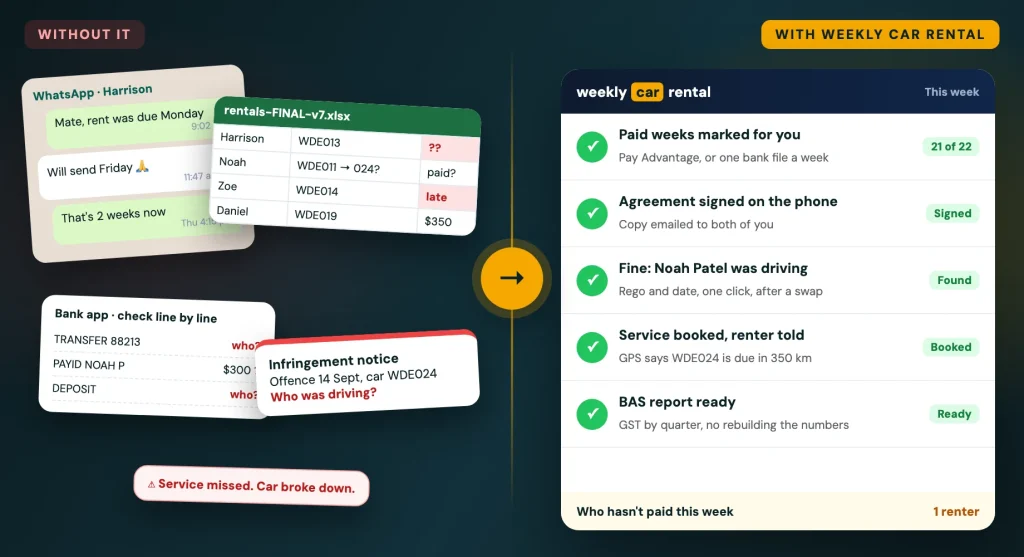
The camera caught the car six weeks ago. Since then it has had two renters, maybe a swap. Now you have to work out who it was.

01

You search the spreadsheet for that rego and that date.

02

Then you dig out the renter's licence, documents and agreement from a folder.

03

If the car was swapped and the plate renamed in the sheet, the old history is gone.

04

Miss the due date and the fine stays with you.

Who had the car

Rego and date in, driver out, in one click

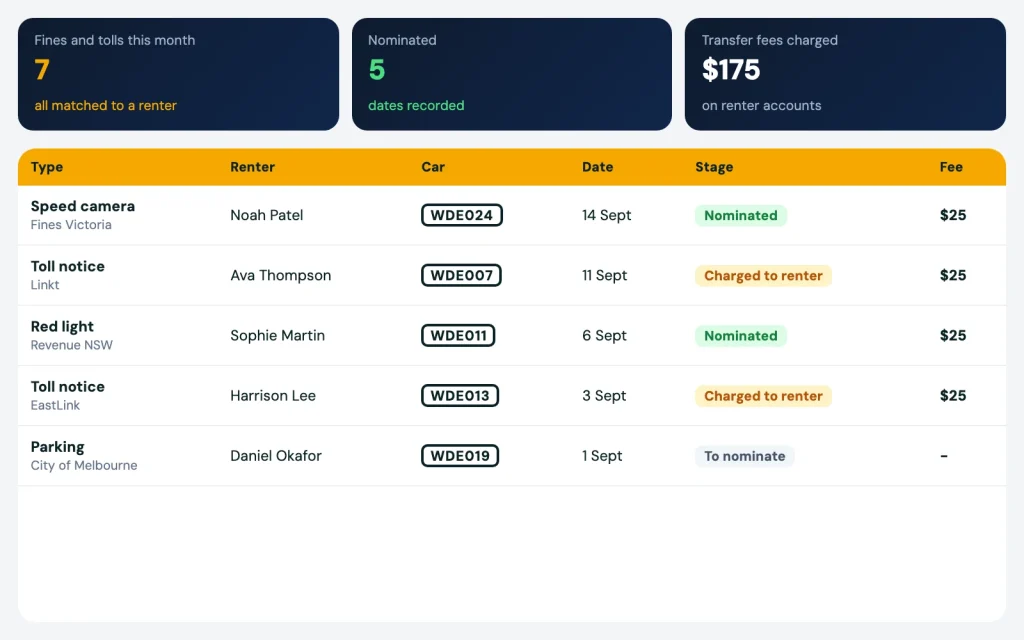
Every fine and toll goes into the fines and tolls register. Enter the rego and the date and time of the offence. The software checks your rentals and shows the renter who had the car at that moment, with their licence and details on the same screen.

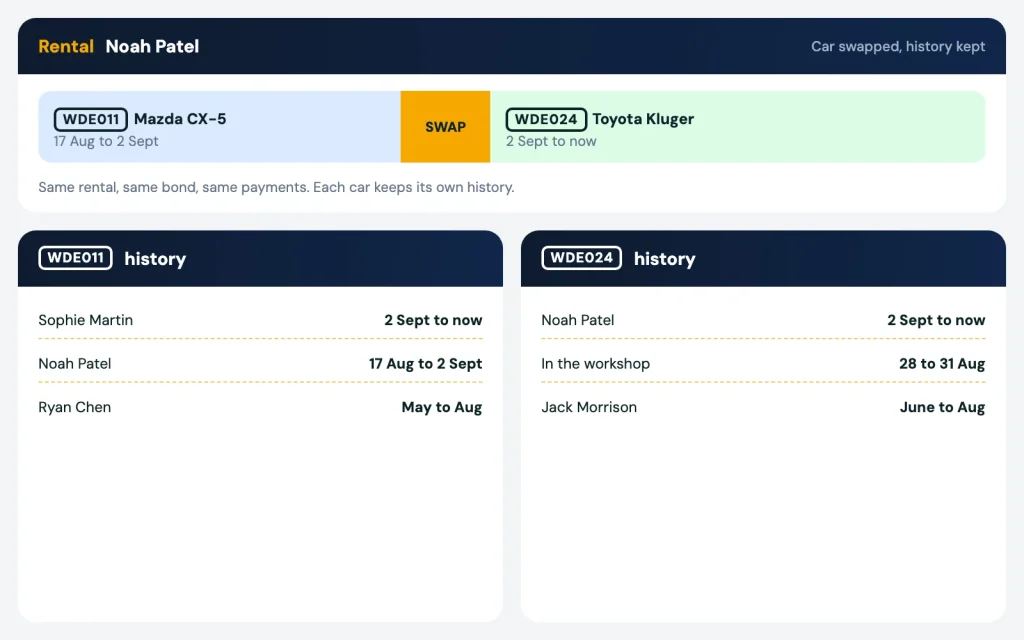
Car swaps don’t break it. Each car keeps its own history, so a swap in the middle of a rental still points to the right person.

  • Nominate the driver with the state body that sent the fine.
  • Record the date you nominated, so you know it’s done.
  • Add your transfer fee as a charge on their account.
Fines and tolls register with nominations and transfer fees

Each state has its own nomination process

You nominate with the body that issued the fine, and each state runs it differently.

Always check the due date on the fine notice. This page is general information, not legal advice.

How it works

  1. 01

    Add the fine or toll

    Enter the rego and the date and time from the notice.

    01
  2. 02

    See who was driving

    One click shows the renter who had the car, even after a swap.

    02
  3. 03

    Nominate and charge the fee

    Nominate with the state body, record the date, and add your transfer fee as a charge.

    03

Related

Fines linked to rentals and payments

The answer comes from your rentals and car swaps in fleet management. The signed agreement is one click away in rental agreements. The transfer fee lands on the renter’s account next to their rent in weekly payments, and can come out of the bond if needed.

We are an Australian company. Call us and we’ll look up a fine on your own cars.

Car swap during a rental with each car keeping its own history

FAQ

Fine nomination: questions

Does the software send the nomination for me?

No. You nominate the driver with the body that sent the fine, such as Fines Victoria or Revenue NSW. The software tells you who had the car and records the date you nominated.

Each car keeps its own history, so the lookup still shows the right renter for that date and time.

Yes. Add your transfer fee as a one-off charge. It shows on the renter’s account.

Yes. Tolls go into the same register. Look up who had the car and add the cost as a charge.

More questions? Visit our support page.

See it working

See it on your own fleet

Book a 20 minute demo. Send us your spreadsheet and we set it up for you. No lock-in contract.

Before: WhatsApp chasing, a spreadsheet, the bank app and a fine with no driver. After: car rental software with payments, agreements, fines and services sorted▶