Features
Weekly Payments

Weekly Car Rental is rental payment software for operators who rent cars out by the week.

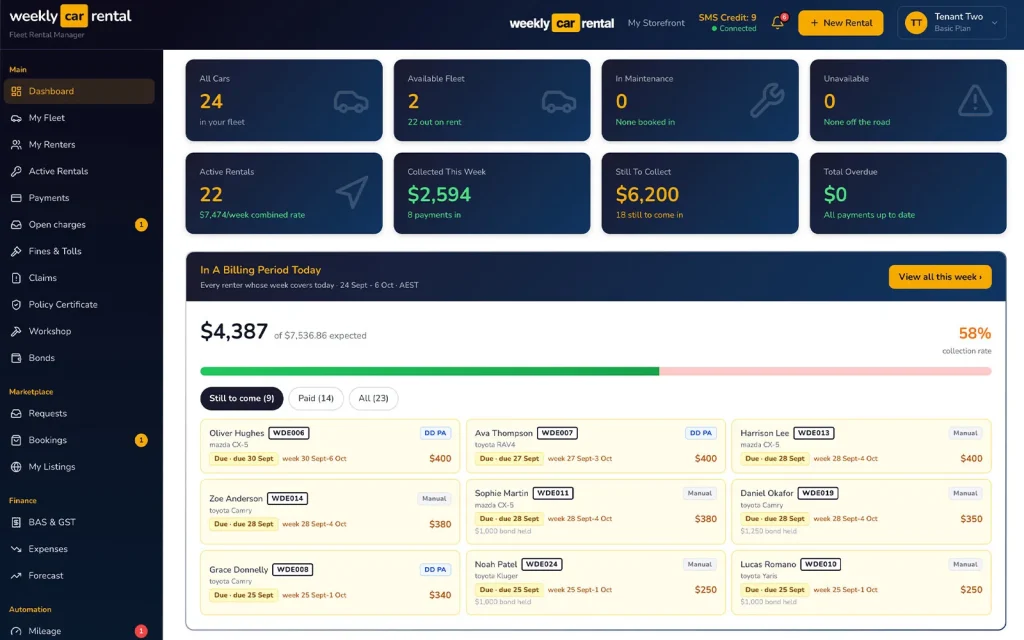
Weekly Car Rental car rental software dashboard showing cars, rentals and weekly payments
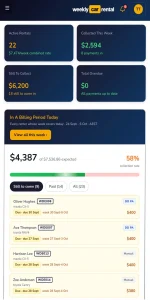
Weekly Car Rental dashboard on a phone showing weekly payments still to collect
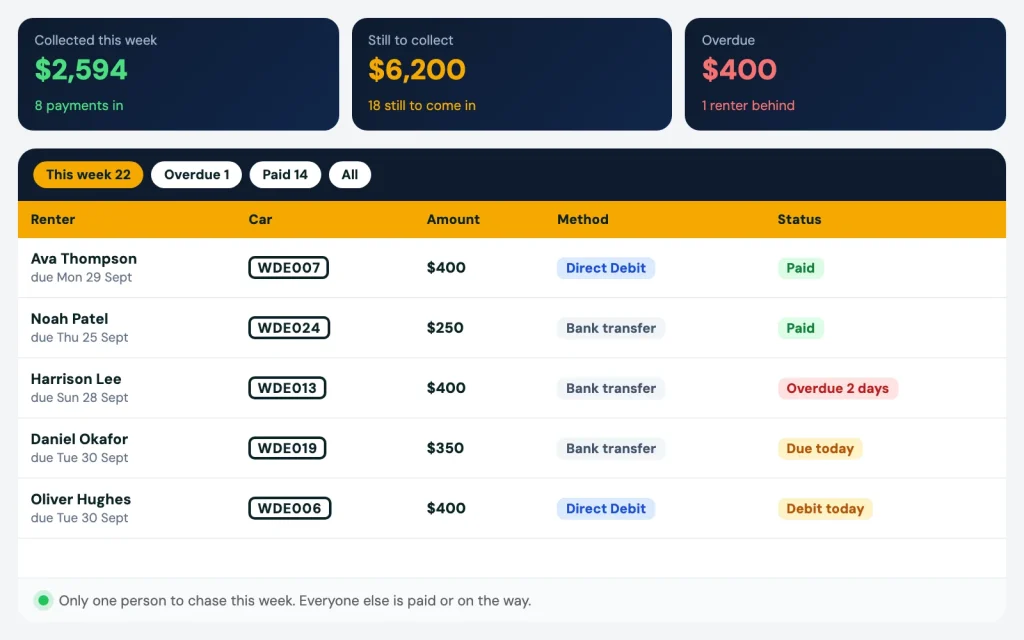
Rental payment software showing who has paid and who is overdue this week

Rental payment software for weekly car rentals

Weekly Car Rental is rental payment software for operators who rent cars out by the week. You see who paid this week and who didn’t, on one screen. Collect by Direct Debit through Pay Advantage, or upload your bank file once a week. Either way, you stop checking the bank app every day.
Book a demo

Pain

Checking the bank every day is not a system

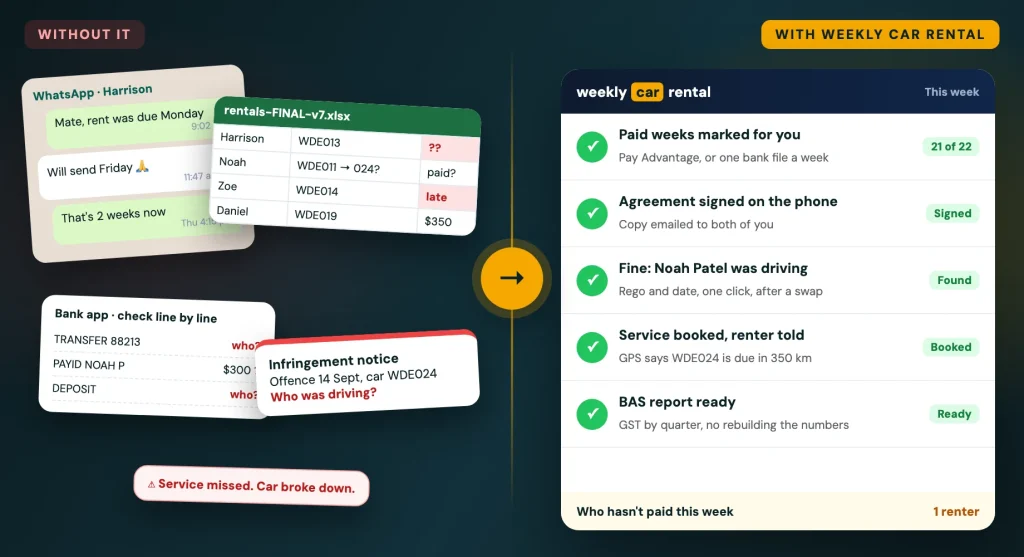
Most operators we talk to run payments from a spreadsheet and the bank app. It works for a few cars. Then it takes over your week.

01

You open the bank, find each driver's payment and mark it paid in Excel by hand.

02

A driver pays rent and a late fee together, and the numbers don't match the sheet.

03

Someone is three weeks behind before you notice.

04

BAS time comes and you rebuild the numbers from scratch.

Already on Pay Advantage? Bring it with you

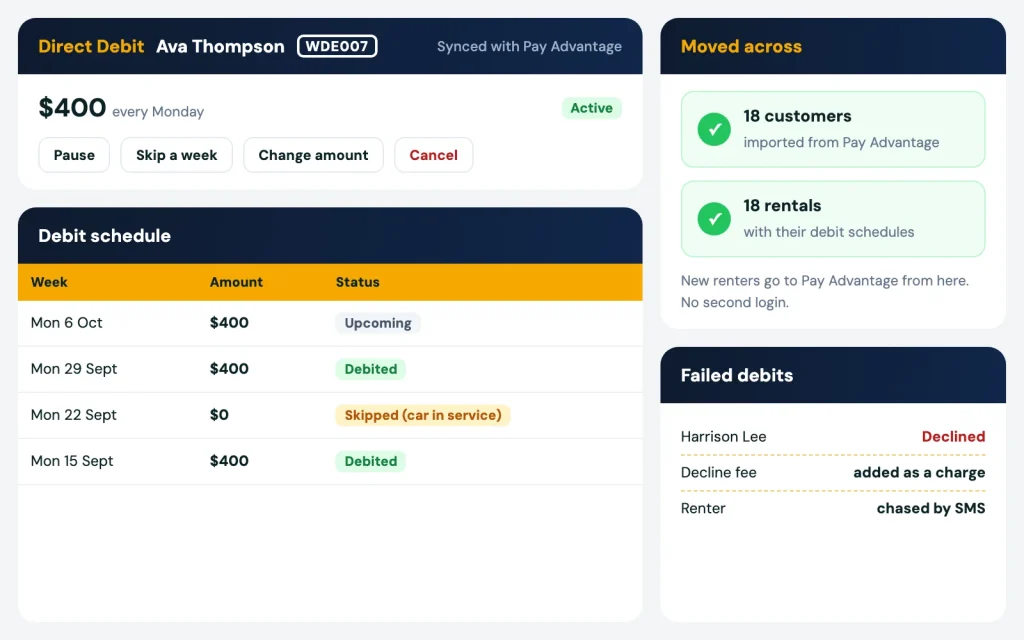
A lot of rental operators already take Direct Debits through Pay Advantage. We connect to it. When you join, we bring your Pay Advantage customers across with their rentals, so you start using the software straight away.

From then on it runs from one place. Add a new renter and rental, and it goes to Pay Advantage for you. You don’t log in to two systems.

  • Create a Direct Debit for a renter from the rental.
  • Pause it, skip a week or cancel it when the rental changes.
  • Failed debits are handled, with decline fees added.
  • One screen shows who hasn’t paid, so you know exactly who to chase.

Direct Debit and PayID through Pay Advantage is an optional add-on.

Pay Advantage Direct Debit for a renter, with pause, skip and cancel
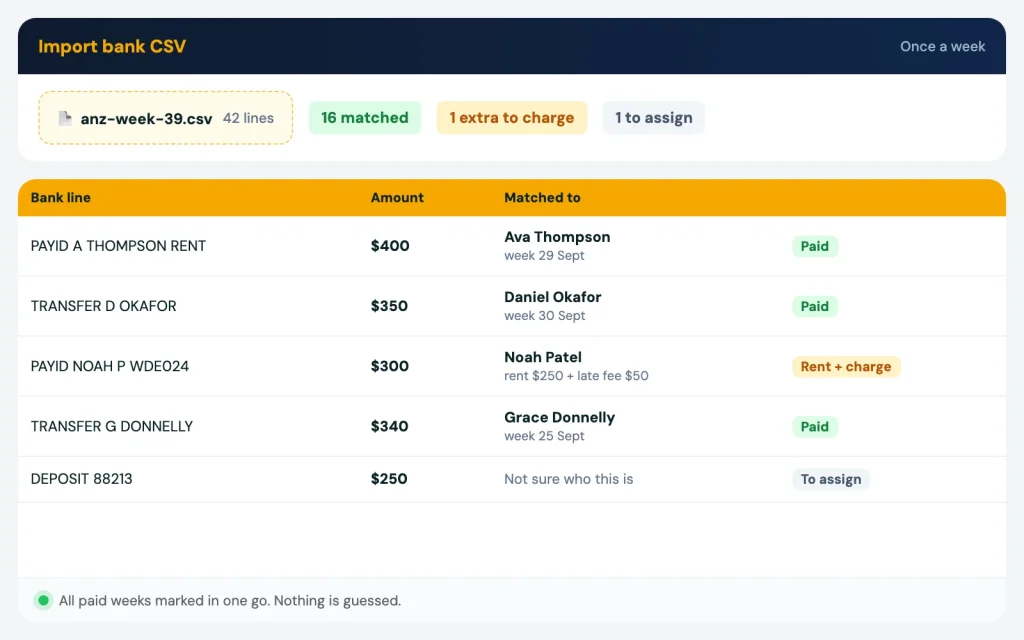
Bank CSV upload matching payments to renters, with an extra late fee turned into a charge

Not on Direct Debit? Upload your bank file once a week

Download the week’s CSV file from your bank and upload it. The software reads it and tells you who paid and who didn’t. Paid weeks are marked in one go. ANZ, CommBank and ING files work, and the upload can be set up to match your bank’s file.

Extra money is not a problem. If a driver paid the rent plus a late fee or a fine, turn the extra into a charge on their account and it all lines up.

A payment that can’t be matched is not guessed. It waits in the “money to assign” inbox and you pick the driver. Bank file matching is free.

Invoices and reminders go out without you

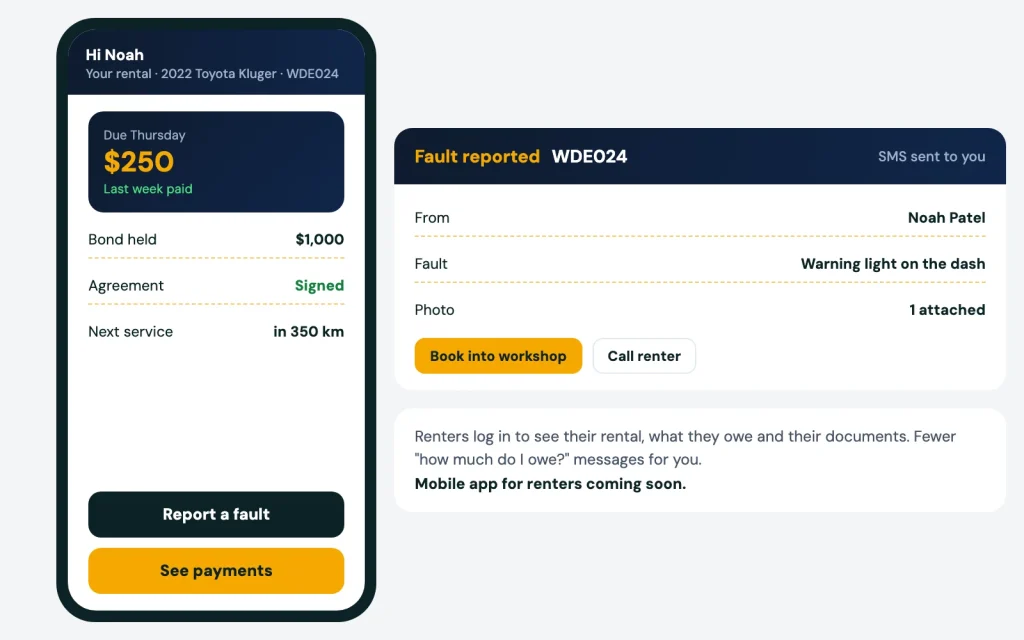
Renters who pay by bank transfer get their invoice by email and SMS on your billing day, in your time zone. Late payers get an SMS reminder. Renters can log in to the renter portal and see what they have paid and what they owe, so you get fewer “how much do I owe?” messages.

Renter portal on a phone showing what is owed and a fault report
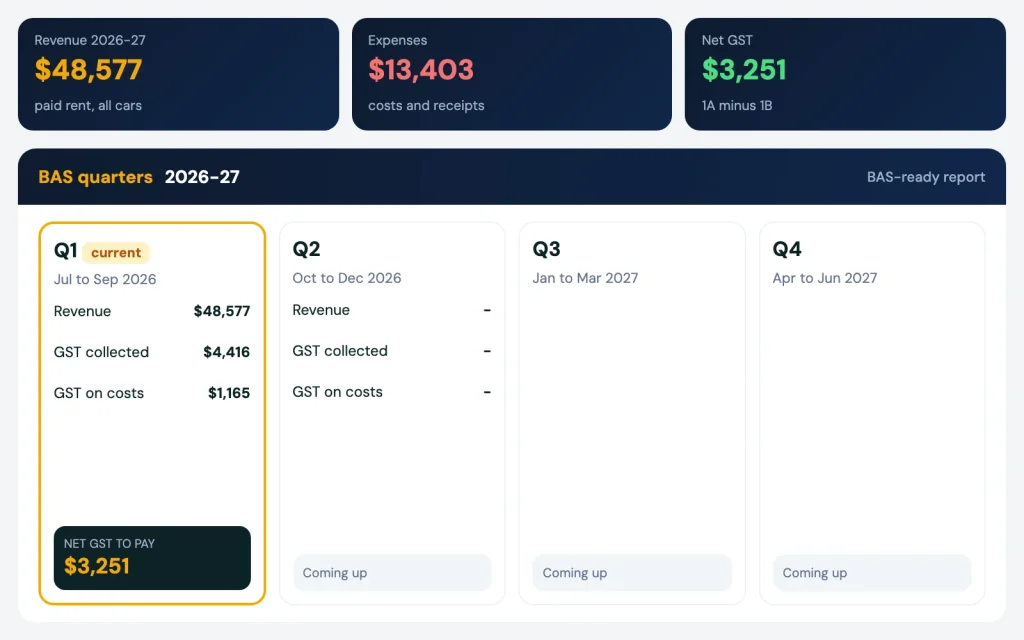
BAS and GST report by quarter

Bonds, one-off charges and your BAS report

The bond ledger shows the bond you hold for each renter. Release it, release part of it, take a charge against it, or move it to the renter’s next car.

Damage, cleaning, a late fee or a fine transfer fee? Add it as a one-off charge. It shows as its own line on the renter’s account.

At BAS time, pull a BAS-ready GST report by financial year, with your expenses and profit. Export all your data any time. Xero and MYOB integration available on request.

How it works

  1. 01

    We bring your data across

    Send us your spreadsheet, or we pull your customers and rentals from Pay Advantage.

    01
  2. 02

    Payments come in

    Direct Debits run on their own, or you upload the bank file once a week.

    02
  3. 03

    Chase only who hasn't paid

    One screen shows who is behind. Everyone else is already marked paid.

    03

Related

Payments linked to the rest of the rental

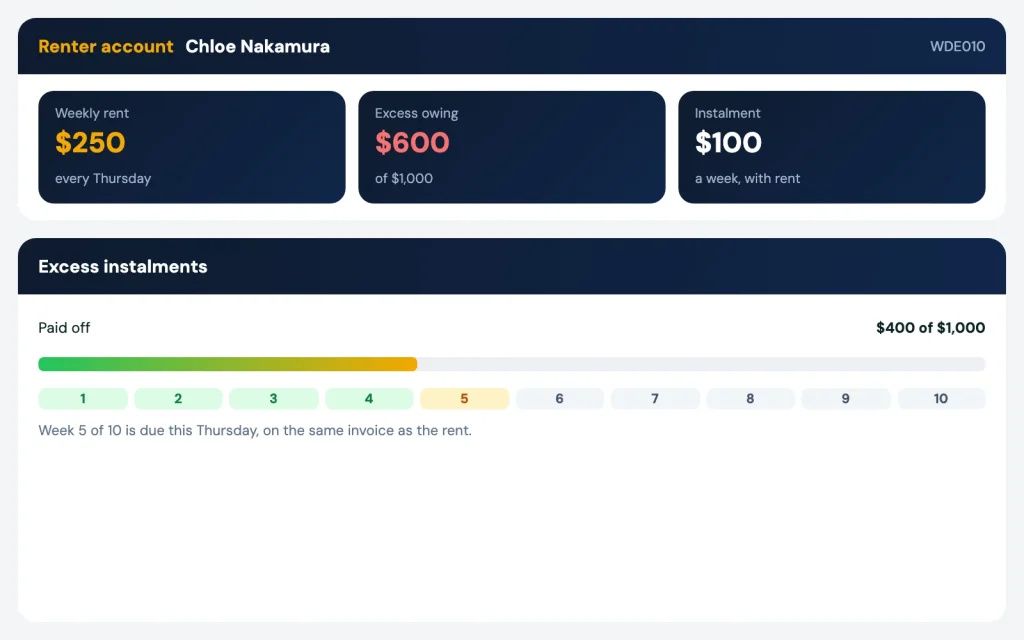
Transfer fees from fines and tolls and excess from claims management land on the same renter account as the rent. What each car earns shows in fleet management, next to its expenses.

We are an Australian company. Call or WhatsApp us and we’ll show you this on your own renters.

Excess paid off in weekly instalments next to the rent

FAQ

Rental payment software: questions

I already use Pay Advantage. Do I have to start again?

No. We bring your Pay Advantage customers and rentals across when you join. After that, new renters go to Pay Advantage from the software, and you create, pause, skip or cancel Direct Debits from there.

ANZ, CommBank and ING files work, and the upload can be set up to match your bank’s file. Bank file matching is free.

Direct Debit and PayID through Pay Advantage is an optional add-on. Collecting payments yourself and uploading the bank file costs nothing extra.

Turn the extra into a charge on their account. The rent and the fee are both marked paid.

Yes. Hold the bond, release part of it, take charges against it, or carry it to the next car.

More questions? Visit our support page.

See it working

See it on your own fleet

Book a 20 minute demo. Send us your spreadsheet and we set it up for you. No lock-in contract.

Before: WhatsApp chasing, a spreadsheet, the bank app and a fine with no driver. After: car rental software with payments, agreements, fines and services sorted▶