Features
Fleet Management

Weekly Car Rental is rental fleet management software for operators who rent cars to Uber, DiDi and Ola drivers by the week.

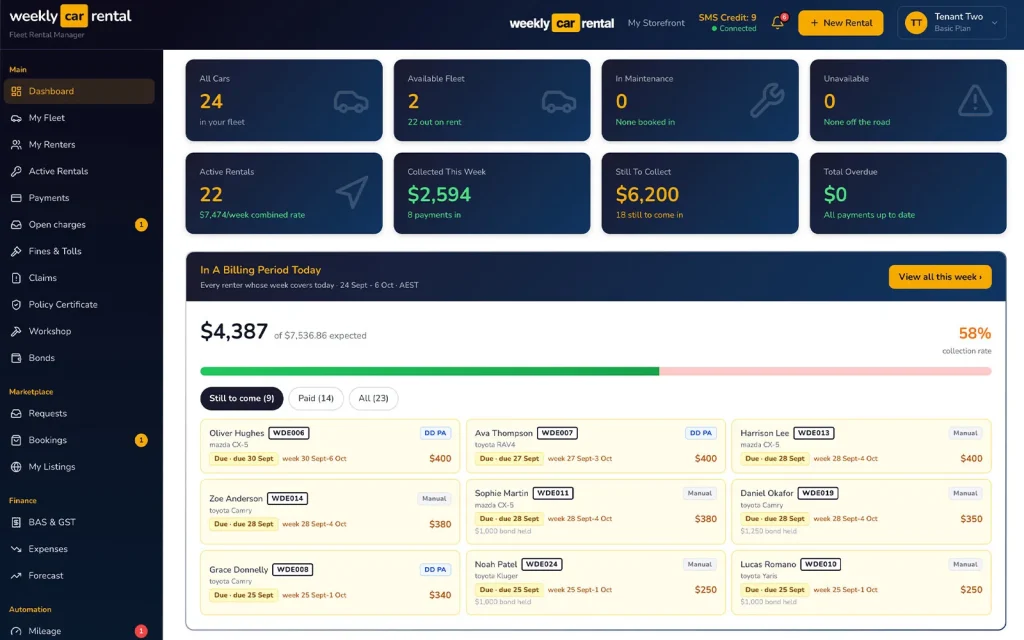
Weekly Car Rental car rental software dashboard showing cars, rentals and weekly payments
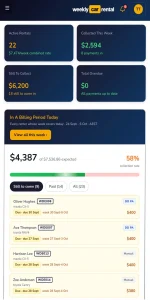
Weekly Car Rental dashboard on a phone showing weekly payments still to collect
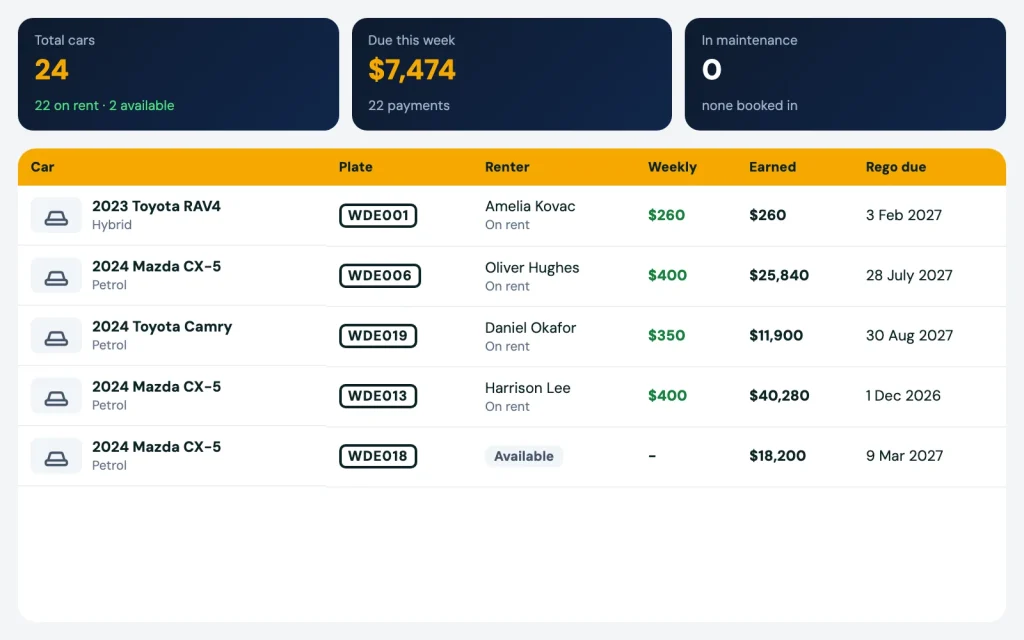
Rental fleet list with each car, renter, weekly rate and rego due date

Rental fleet management software for weekly rideshare fleets

Weekly Car Rental is rental fleet management software for operators who rent cars to Uber, DiDi and Ola drivers by the week. Every car, every driver and every dollar in one place. You see which cars make money and which ones cost you.

Works on any phone. We set it up for you.

Book a demo

Pain

A spreadsheet can't tell you which car is paying its way

Most operators start with Excel and a WhatsApp group. It works for 5 cars. At 20 cars it gets hard.

01

You don't know which car is making a profit after the loan, the repairs and the weeks it sat idle.

02

Rego papers, loan papers and purchase papers are in different folders, emails and phones.

03

A new driver turns up. You don't know that he left another operator owing money.

04

You swap a renter into another car, rename the plate in the sheet, and the old car's history is gone.

05

Your accountant asks for the lease papers again.

Fleet

Every car in one list

Each car has its rego, VIN, finance or loan, and compliance papers. Each car has a status: on hire, available, in workshop, or retired (sold, stolen or written off). One look tells you which cars are earning today.

Expenses sit on the car too: parts, labour, and recurring costs with a reminder before they fall due.

Car swaps that keep the history

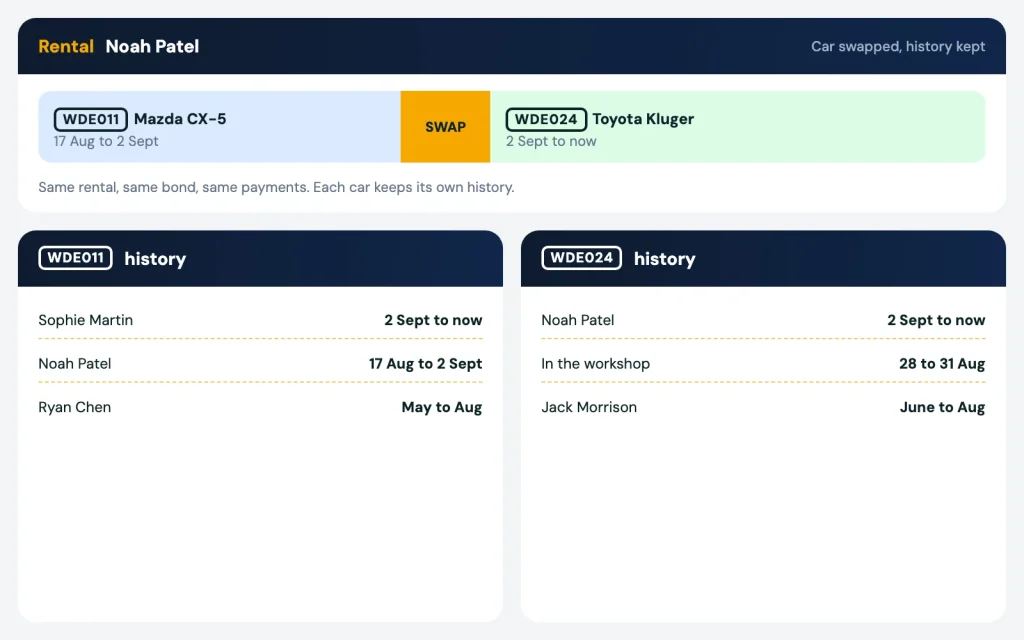
Move a renter into another car and both cars keep their own history. The rental carries on, and when a fine comes in for either car, you still see who had it on that date.

Several businesses, one login

Many operators run cars under more than one company, or look after cars that belong to an investor. Put every car under the right business and switch between them in one login.

Your team, with the right access

Add staff with their own login and set what each person can see and do. It all works from a phone, and many operators run their fleet from theirs.

Car papers sent to your accountant

Upload the lease and purchase papers for each car. Email them to your accountant from the car’s page.

Car swap during a rental with each car keeping its own history
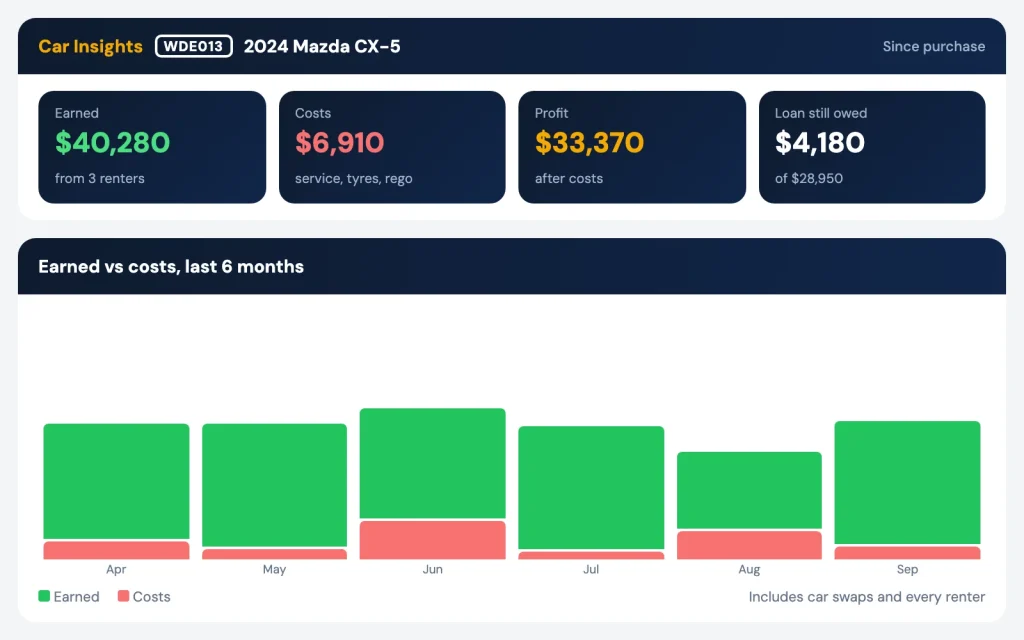
Car Insights showing earnings, costs, profit and loan still owed for one car

Car Insights: profit per car, and the loan still owed

Open any car and see what it earned, what it cost, and the profit left over. You see the loan still owed on it. You also see its full history across every driver who rented it and every car swap. So when a car keeps losing money, you know early and can sell it or fix it.

Profit and costs per car also feed your money reports. See weekly payments for the BAS and GST report.

Drivers, ID checks and the shared defaulter check

Every driver has a profile with licence, ID documents, references, emergency contact and a timeline of notes.

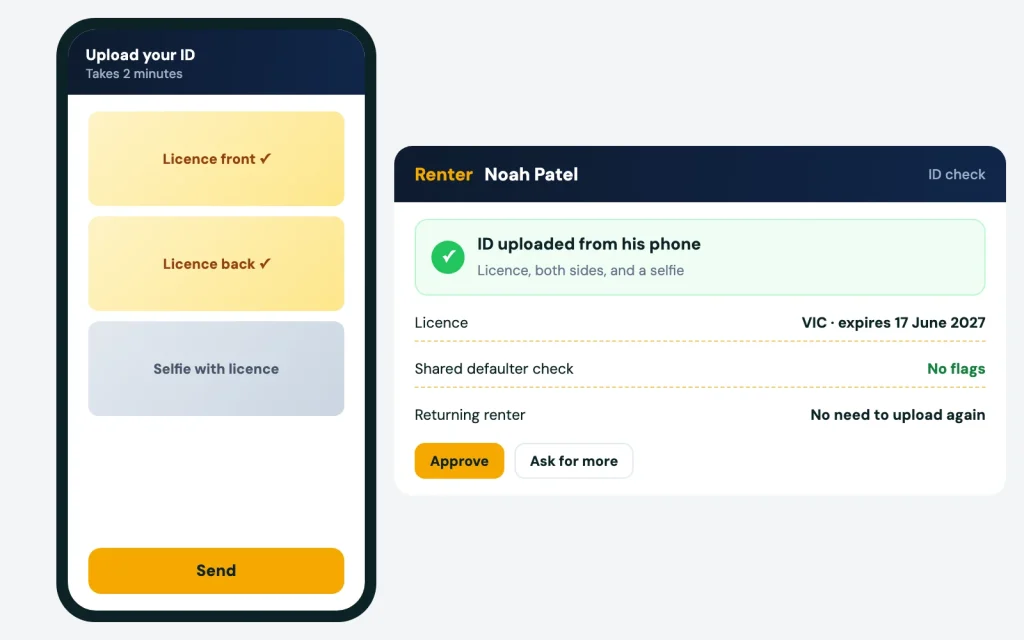
  • ID verification: the driver uploads licence and ID from their phone. You check it and approve.
  • Returning drivers are recognised. They don’t upload everything again.
  • Blacklist and shared defaulter check: if a driver left another operator owing money, you see a flag before you hand over the keys.
  • Taxi drivers: keep the DC number and certificate on file.
  • Enquiries inbox: a driver asks about a car. Turn that enquiry into a driver in one click.
Renter uploading licence and ID from their phone

How it works

  1. 01

    Send us your spreadsheet

    We import your cars, drivers and payment history. We do the import for you as part of setup.

    01
  2. 02

    Check your fleet list

    Every car shows its status, loan and papers. Add running costs as they come in.

    02
  3. 03

    Watch profit per car

    Car Insights updates as drivers pay and costs come in. You decide which cars to keep.

    03
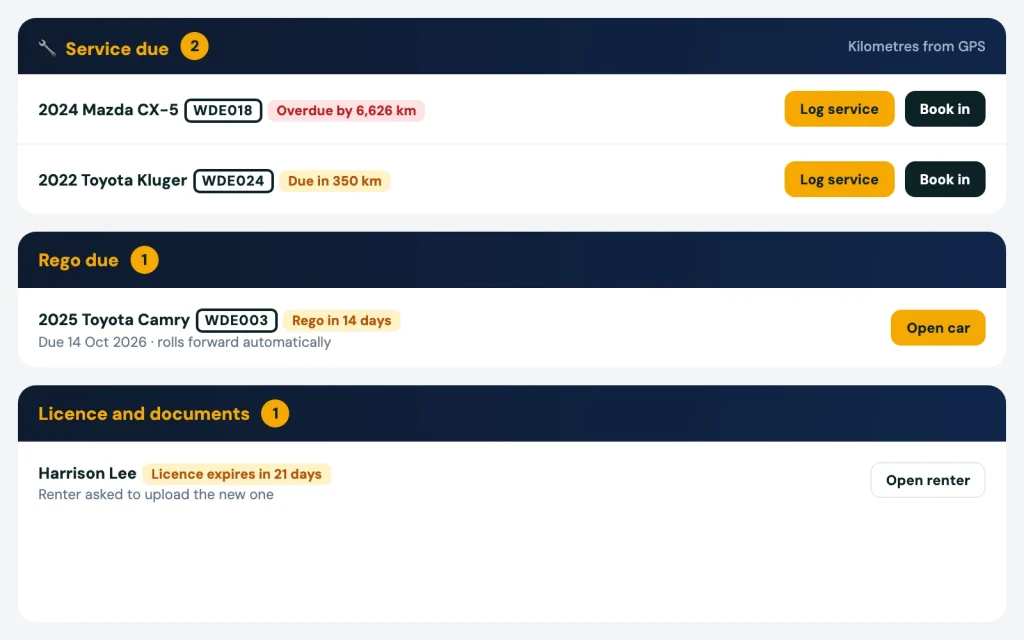
Service due, rego due and licence expiry reminders on one dashboard

Related

Works with the rest of your fleet

Cars in the workshop show up from maintenance, with service due by kilometres or date. Rego and ID expiry alerts sit on the same dashboard. Add GPS tracking to see every car on a live map. You only pay for cars that are out on hire.

We are an Australian company. Talk to us on phone or WhatsApp.

FAQ

Rental fleet management software: questions

Can I keep cars from two companies in one account?

Yes. Cars can belong to different businesses, or to an investor. You see them all in one login and switch between them.

It adds up what the car earned from every driver, takes away the running costs you recorded, and shows the profit. It also shows the loan still owed.

Operators can flag a driver who left owing money. When that driver comes to you, you see the flag before you hand over the keys.

No. Send us your spreadsheet. We import your cars, drivers and payment history for you.

Yes. It works on any phone, in the browser.

More questions? Visit our support page.

See it working

See it on your own fleet

Book a 20 minute demo. Send us your spreadsheet and we set it up for you. No lock-in contract.

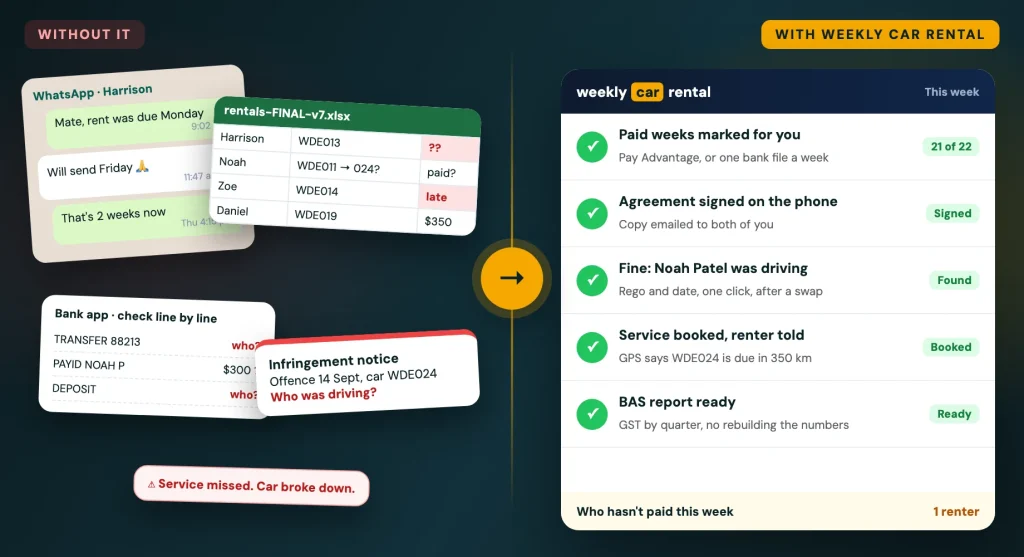
Before: WhatsApp chasing, a spreadsheet, the bank app and a fine with no driver. After: car rental software with payments, agreements, fines and services sorted▶